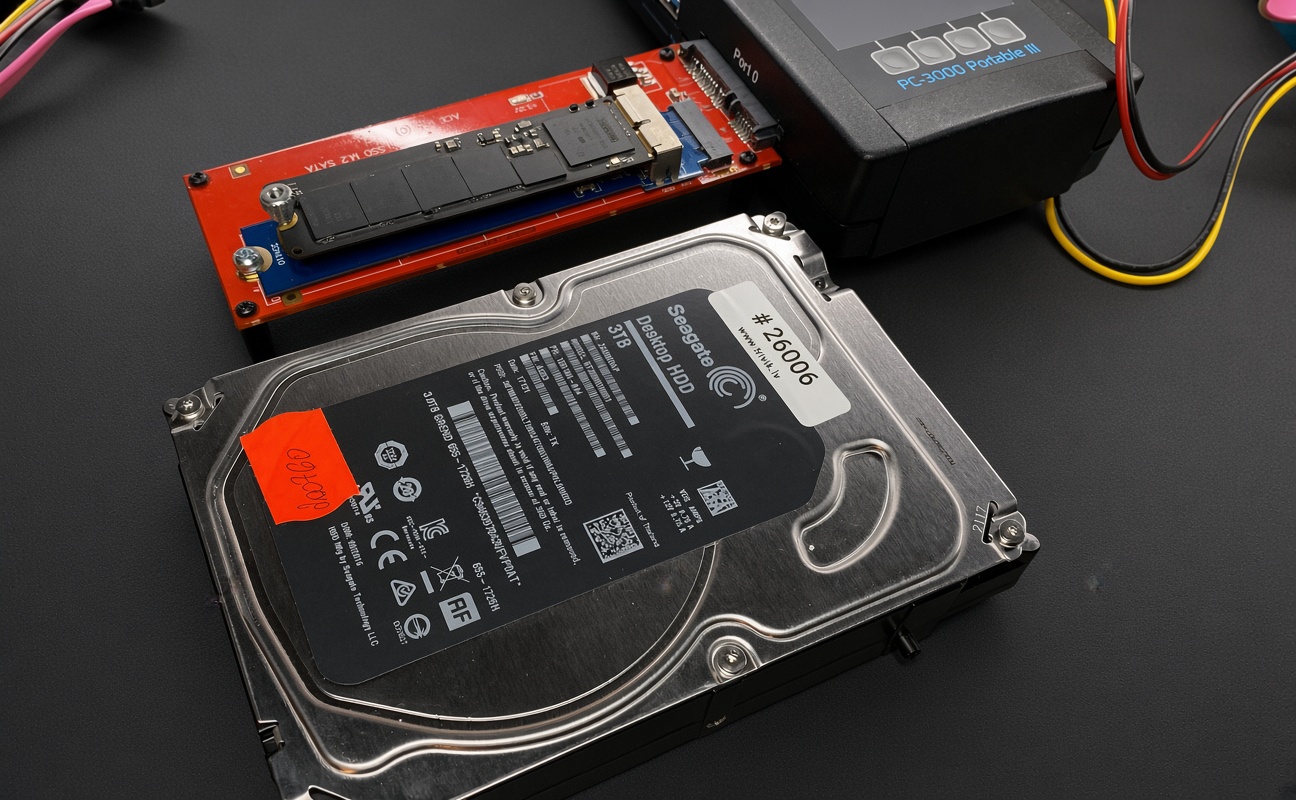
The Apple Fusion Drive submitted for data recovery consisted of two storage devices: a 128 GB SSD and a 3 TB HDD. The SSD had sustained physical damage, leaving approximately 41.9 GB of data unreadable. Only 60% of the SSD could be successfully imaged.
As a result, the operating system could no longer locate or correctly interpret the file system structures, even though most of the user data on the 3 TB HDD remained physically intact.
What Was Lost - and What Remained Intact
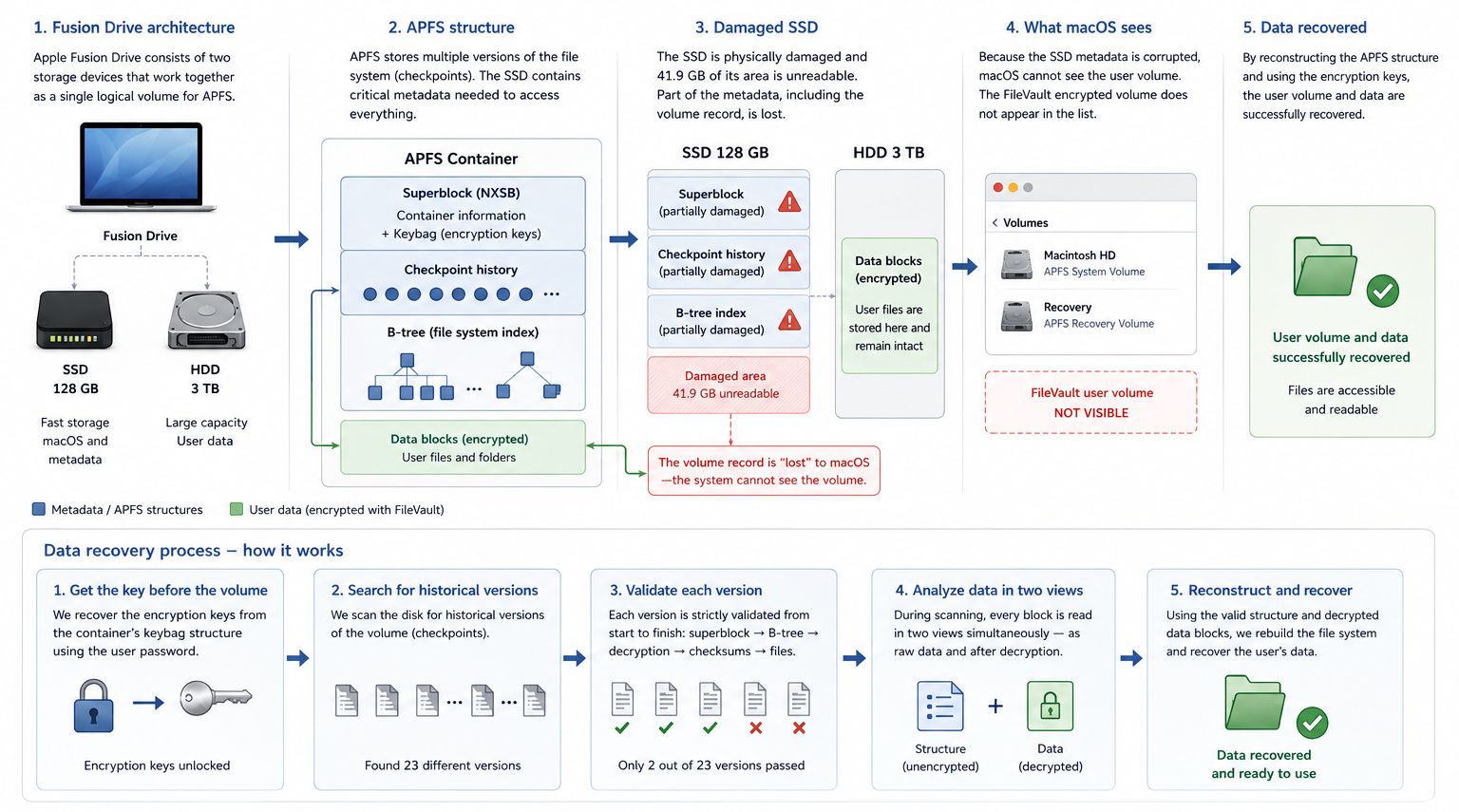
The user volume record was lost. The FileVault-encrypted user volume no longer appeared in the system's volume list. This was not an encryption failure; information required to locate this volume and map it to the APFS structure was lost in the damaged SSD area.
System and data structures were also damaged. The macOS system volume index was completely lost, while a portion of the user data nodes lacked pointers to subsequent structural elements.
However, the primary APFS container superblock survived on the SSD with a valid checksum. It contained essential information about the container structure, block sizes, media layout, and encryption keybag structure. This information made it possible to begin reconstructing the file system.
APFS as a book without page numbers
To understand what happened to the file system, the APFS structure can be imagined as a book with pages torn out and scattered around the room, part of the table of contents lost, some pages encrypted, and some missing page numbers.
The title page - the superblock.
The APFS container superblock (NXSB) serves a similar purpose to a book's title page: it contains essential information needed to identify and interpret the container's structure.
Table of contents - B-tree.
In a book, there is no need to search through every page sequentially - the table of contents points to where specific chapters are located. APFS uses B-tree structures to organize information about files, folders, and their locations. If this structure is damaged, the files may still be on the disk, but the system no longer knows how to reach them.
Copy-on-write: changes are written to new locations.
APFS uses a copy-on-write mechanism. When data is modified, the updated version is written to a new location rather than overwriting the existing data in place. This can preserve earlier versions of file system structures, making historical checkpoints valuable during data recovery.
Checksum.
Each APFS metadata block has its own unique checksum (fletcher64), allowing its integrity to be checked immediately and confirming that its contents are not corrupted. In data recovery, this feature is crucial: even if the central index is destroyed, each individual block can "prove" its own authenticity and provide enough information to gradually rebuild the entire file system from fragments.
Data is encrypted with FileVault.
The encrypted user data itself is not readable without the appropriate keys. Therefore, in this case, it was necessary not only to reconstruct the APFS structure but also to restore access to the encryption key.
How the data was recovered
1. Key first, then volume search
First, access to the encryption key structure stored in the APFS container keybag was restored. Using the user's password, it was possible to decrypt the necessary key. This was a critical moment, as using the key allowed locating the volume it unlocks.
2. Searching for historical versions
Next, the beginning of the disk was analyzed to search for previous APFS structure versions. In total, 23 different volume superblock/checkpoint versions were found. But which version is the correct one?
3. Verification of each version
The most recent checkpoint is not necessarily the most reliable one. It may contain references to blocks that are damaged or only partially readable. Therefore, each of the 23 versions was tested along the entire recovery chain:
superblock → file system structure → decryption → checksums → final data.
Two versions passed the full verification, one of which provided the most complete file structure available. At this stage, the majority of structured customer data was recovered.
4. Data analysis
When the file structure is damaged, it is important to find files that have become disconnected from the directory catalog yet still hold valuable client data. The main challenge in such an analysis is that the data array simultaneously contains both unencrypted system structures and encrypted user data side by side. To solve this, each block was evaluated in two views simultaneously during the disk analysis: as an unencrypted file system element and as a decrypted user data block. The custom scanning algorithm distinguished valid file system structures from random noise, allowing us to gradually reconstruct a coherent directory tree, even from severely damaged areas of the disk. As a result, in addition to structured data (directory tree and file names), RAW data was also recovered and grouped by file type (.pdf, .ai, .jpeg, etc.).
This AI-generated diagram provides a simplified representation of the entire recovery process.
Results
Although physical SSD damage had broken access to the Fusion Drive APFS file system and macOS was no longer able to display the user volume, a significant portion of the necessary information remained intact.
By utilizing surviving APFS metadata, historical checkpoints, checksums, and the FileVault key structure, it was possible to reconstruct the file system and restore access to the user's data.